Got Long Videos? Let AI Find the Highlights and Turn Them into Viral Shorts.

Top AI Filter Generator to Explore Diverse Filters Online

Last Updated: 2026. 05. 27

Whether you want to turn your selfies into anime characters, create cinematic video effects, or join the latest viral TikTok trend, AI filters can transform ordinary content into eye-catching visuals. In this guide, we’ll explore how to generate professional-looking photos with top AI filters generator.

Here are 3 AI filter examples provided by the top AI filters generator - FlexClip
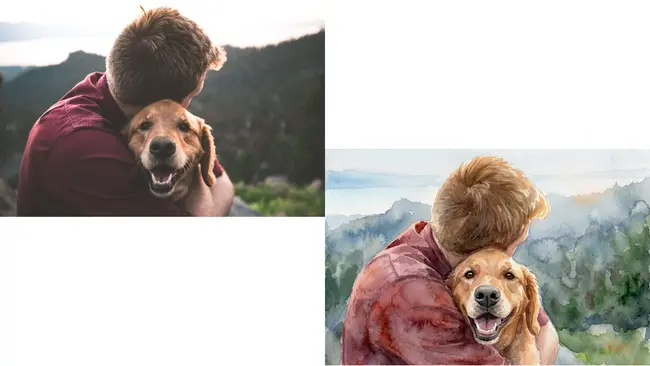
  • You can turn ordinary photos into stunning watercolor artwork. By blending soft brush textures, artistic color transitions, and hand-painted effects, the watercolor filter can instantly give your images a dreamy and elegant look.
  • Example Image 1 - FlexClip

    Example Image 1 - FlexClip
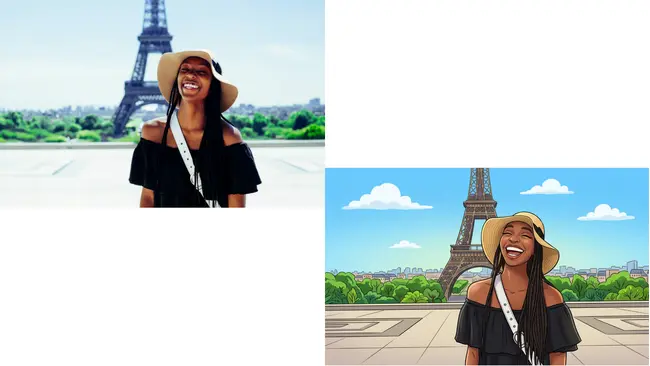
  • Cartoon filter can transform ordinary selfies, portraits, or pet photos into eye-catching cartoon-style artwork with bold outlines, vibrant colors, and playful artistic effects.
  • Example Image 2 - FlexClip

    Example Image 2 - FlexClip
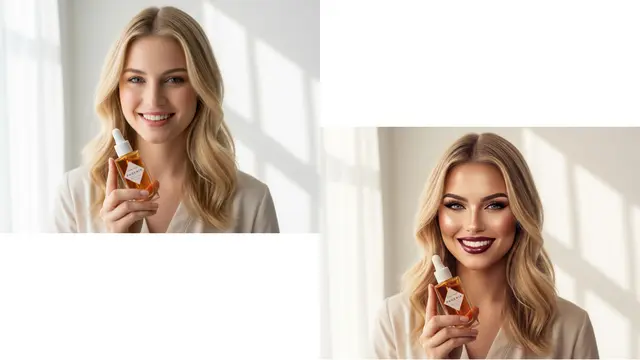
  • Try bold glamour filter can smooth skin, refine facial features, enhance makeup details, and create a polished cinematic appearance while still keeping your photo natural and realistic.
  • Example Image 3 - FlexClip

    Example Image 3 - FlexClip

    Part 1 The Excellent Online AI Filter Generator - FlexClip

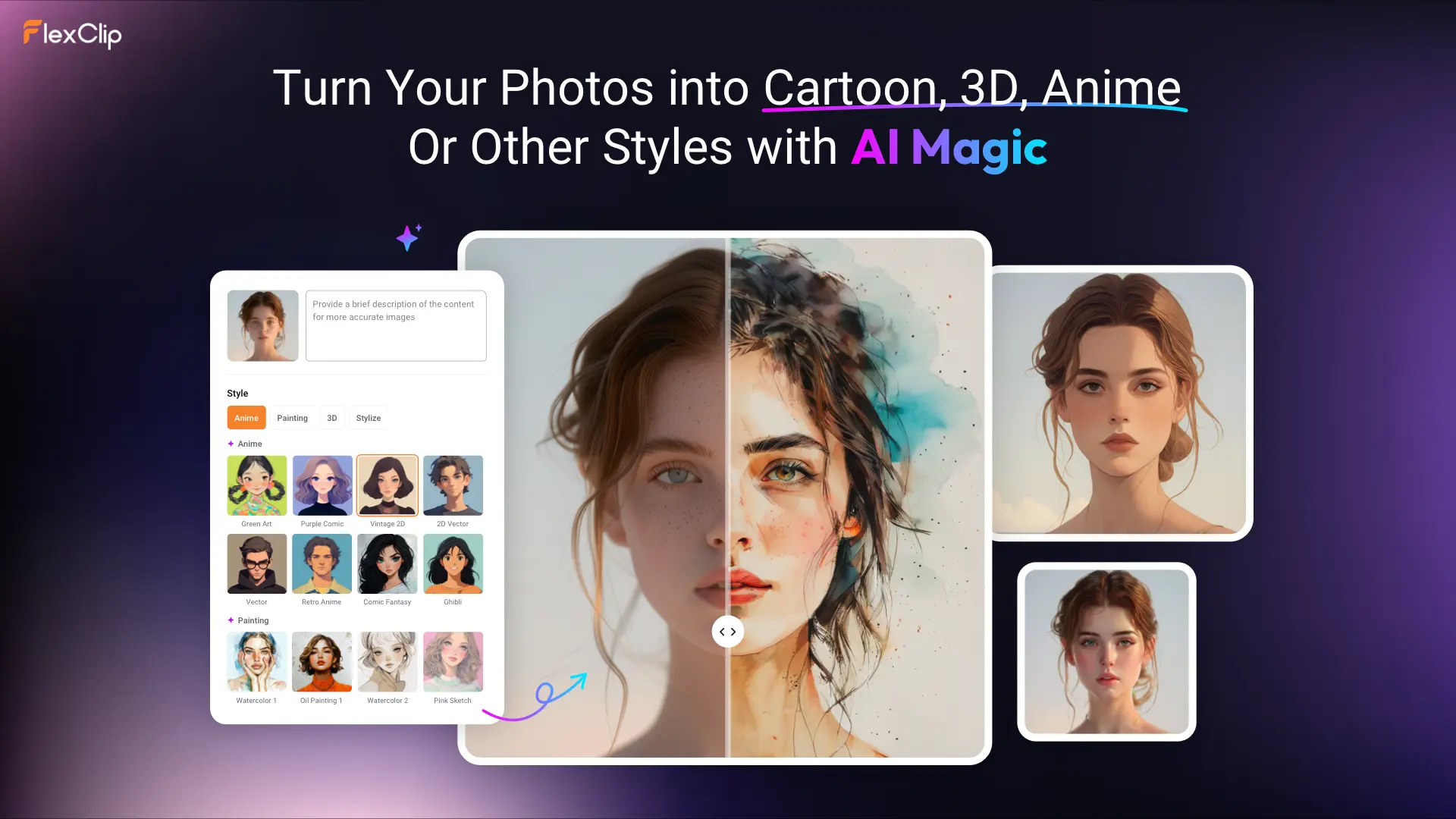
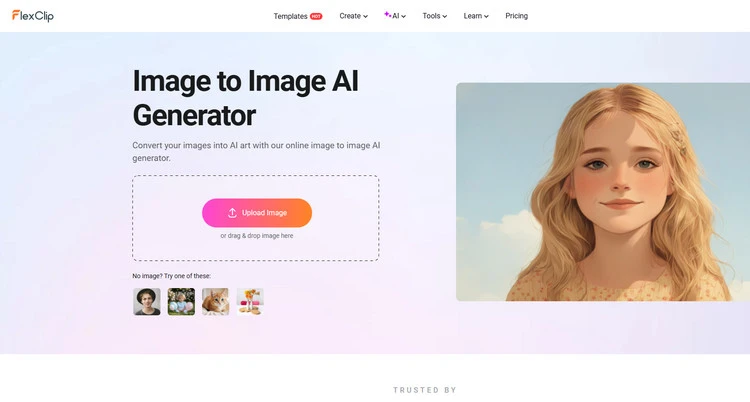
    Until now, FlexClip's AI Image to Image tool offers over 80 AI filters for users to transform their photos into different art. This Ai Image to Image generator is regularly updated with new styles and improvements, ensuring that you can catch up with the popular style transfer trend. Powered by advanced AI technology, it will identify the source image and transform it into a new style while keeping the original characteristics. Just import your photos to explore the power of AI magic.
    The Excellent Online AI Filter Generator - FlexClip
    The Excellent Online AI Filter Generator - FlexClip

  • Offer diverse AI filters for you to explore - FlexClip allows you to add different AI filters to photos to transform them into various art styles. It provides diverse AI filters for you to choose from, like cartoon, anime, sketch, oil painting, 3D character, and more. And the image to image generator is regularly updated with new styles and improvements, ensuring that you can catch up with the popular style transfer trend. FlexClip’s advanced AI models will guarantee that they will offer high-quality AI filter images.
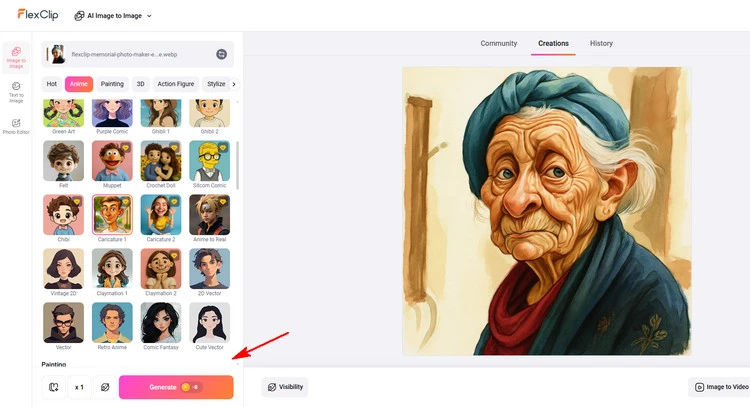
  • AI Image to Image Generator - FlexClip
    AI Image to Image Generator - FlexClip

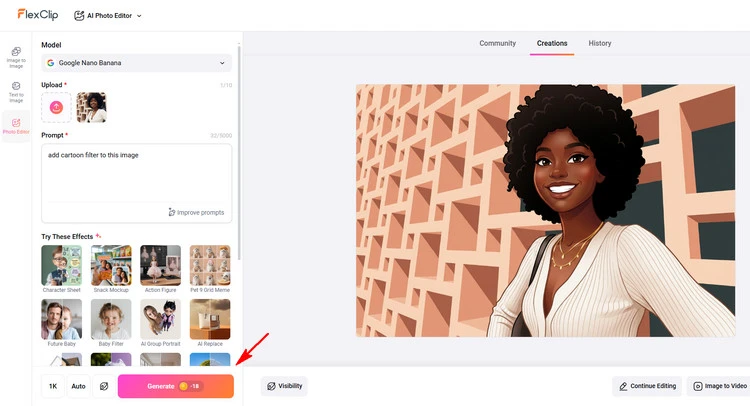
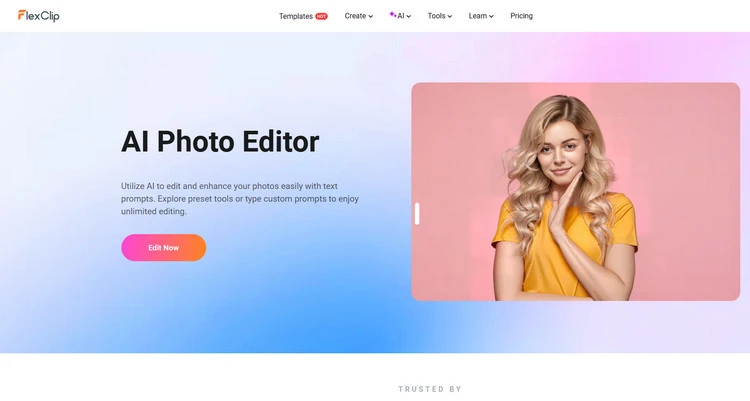
  • Allow to add AI filters to image with prompt - FlexClip also provides other ways for you to add AI filters online. If you find FlexClip doesn't have the preset AI filter you want, you can add it by entering a prompt. You can easily add AI filters using simple text descriptions. Just type what you want, and its AI photo editor will handle the rest. Let’s convert your portraits, animal photos, landscape images and more to various artistic styles.
  • AI Photo Editor - FlexClip

    AI Photo Editor - FlexClip
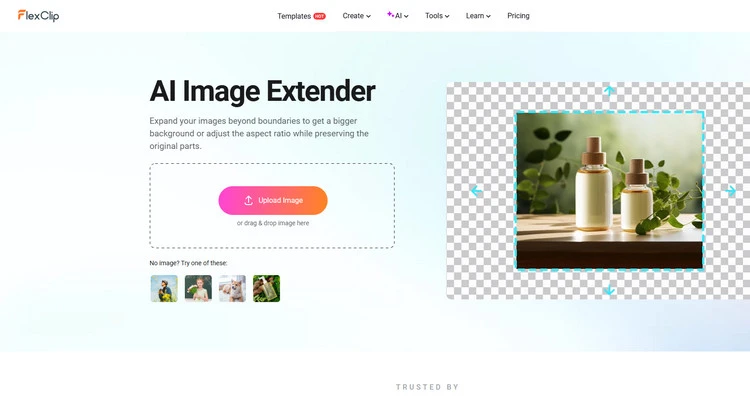
  • Own rich AI image editing features for you to explore - FlexClip also provides many AI image editing tools to accelerate your photo creation process. For example, its AI photo extender can easily extend your photos online. There are more possibilities waiting for you to explore.
  • AI Photo Colorizer - FlexClip

    AI Photo Colorizer - FlexClip

    Part 2 How to Add AI Filters to Image in FlexClip?

    Ever wondered what you’d look like as a cartoon character, watercolor painting, anime hero, or fashion magazine cover star? With FlexClip’s AI filter generator, you can turn any ordinary photo into a stunning new style within seconds — no complicated editing, no design experience needed. Ready to give your photos a whole new personality? Follow the easy steps below and start creating your own AI-powered filter effects now.

    Method 1 Add AI Filters to Image with Preset Options
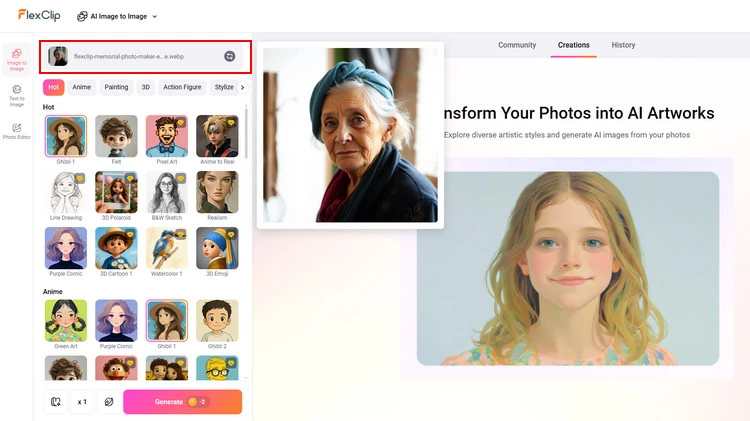
    Step 1
    Prepare the photo you want to stylize and visit FlexClip’s AI Image to Image Generator in your browser.
    Upload Photos - FlexClip

    Upload Photos - FlexClip

    Step 2
    Upload your image and select your preferred style from the preset options on the left toolbar. FlexClip will generate two results by default, but you can adjust the number in the Quantity area if needed.
    Add AI Filter to Photo - FlexClip

    Add AI Filter to Photo - FlexClip
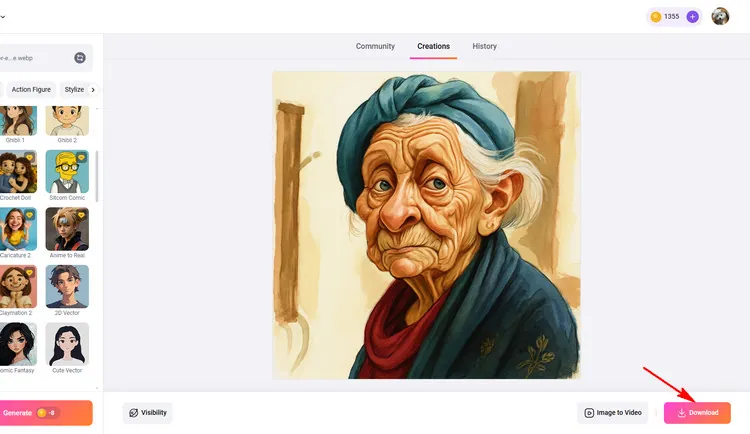
    Step 3
    Wait a few seconds; magic will happen. You can download it directly and use it as your social media avatar.
    Download Your AI Filter Photo - FlexClip

    Download Your AI Filter Photo - FlexClip

    Method 2 Add AI Filters to Image with Prompt
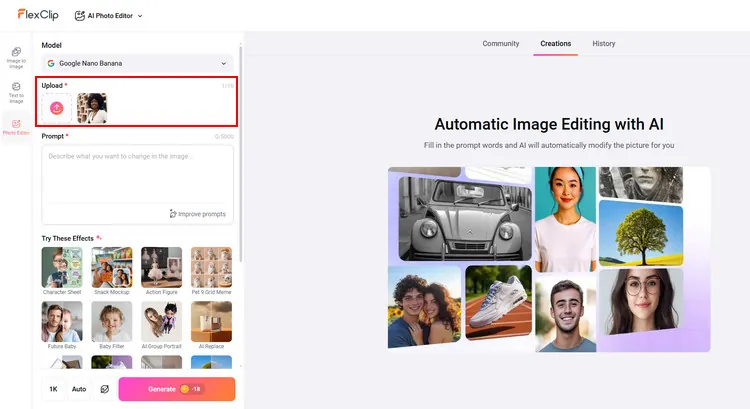
    Step 1
    Go to FlexClip's AI photo editor page and click the upload section to upload your photo to it. No advanced editing skills needed.
    Upload Photos - FlexClip

    Upload Photos - FlexClip

    Step 2
    You can enter the prompt about what kinds of AI filter you want. Then, hit the Generate button to begin the AI creation.
    Add AI Filter to Photo - FlexClip

    Add AI Filter to Photo - FlexClip
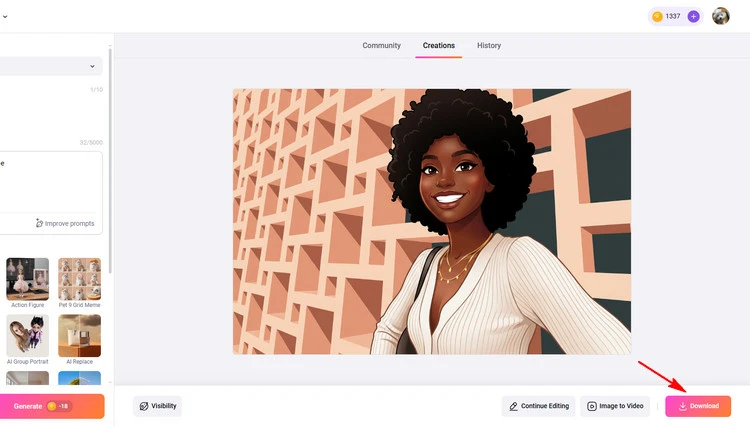
    Step 3
    When you are done with the AI-powered process, you can directly save the new photo to a local folder or directly post to social media.
    Download Your AI Filter Photo - FlexClip

    Download Your AI Filter Photo - FlexClip

    Conclusion

    That’s the end of how to add AI filter to image with online AI filter generator. I hope that you got your answers through this article regarding adding AI filters to your image online. Try it!

    Group 11
    Make a free video online
    Create Your First Video With FlexClip Now
    Get Started - Free