A photo montage video is a photo montage slideshow that integrates a bunch of still images with motion graphics, animated texts, video clips, music, transitions, and other effects to relive your photo memories.
If you are looking for an easy way to create photo montage videos for wedding anniversaries, birthday parties, memorials, valentine's days, graduations, or anything worth remembering and to be told, we’ve got you covered!
Here, we will walk you through the 5 best online photo montage makers that can transform your images and footage into a mesmerizing photo montage video in clicks way. So, you can share the well-made photo montage video with friends and family and walk down memory lane.
Here’s What You Will Learn:


Also, read the top 5 memorial video makers online.
Best Photo Montage Maker to Make a Timeless Photo Montage Video
If you have a huge stack of photos to be put together for a wedding, birthday, memorial, etc, yet couldn't afford the time to do it from scratch or lack the design experience just like me, then the FlexClip online photo montage video maker can be your best bet to create a timeless photo montage video in a breeze.
Make a memorable photo montage video with the feature-rich FlexClip photo montage maker online.

FlexClip's Best Features to Create Photo Montage Videos:


How to Make a Photo Montage Video by FlexClip Montage Maker
Now, let's check the simple steps below to learn how to maker a photo montage video using FlexClip:
Step 1 Start Quickly with a Photo Montage Template
Go to FlexClip's template page and search for keywords like montage, or browse themes such as birthdays, travel, or weddings to find a photo montage template that fits your style.
After choosing a template, you can create your own montage by customizing it manually or using the AI Recreate feature for a faster and more efficient editing process. Here we'll go with the AI Recreate option.
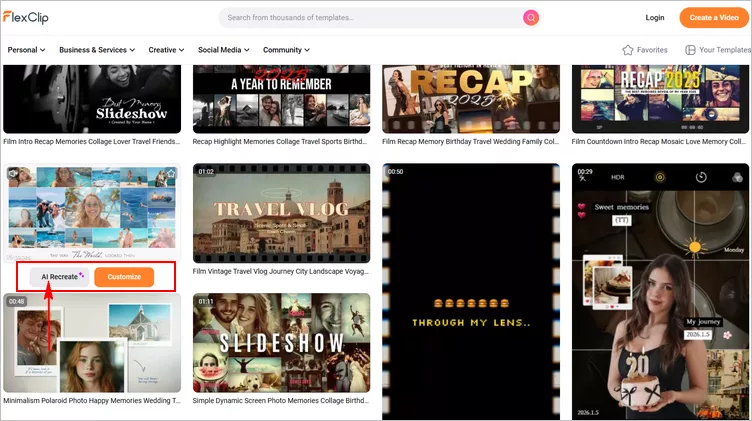
Start Quickly with a Photo Montage Template
Step 2 AI Recreate a Photo Montage
Next, you'll be directed to the AI Recreate page, where you can upload your own photos and video clips to generate a personalized montage with AI. You can also customize settings such as video language and theme to help the AI create a photo montage video that matches your preferences.
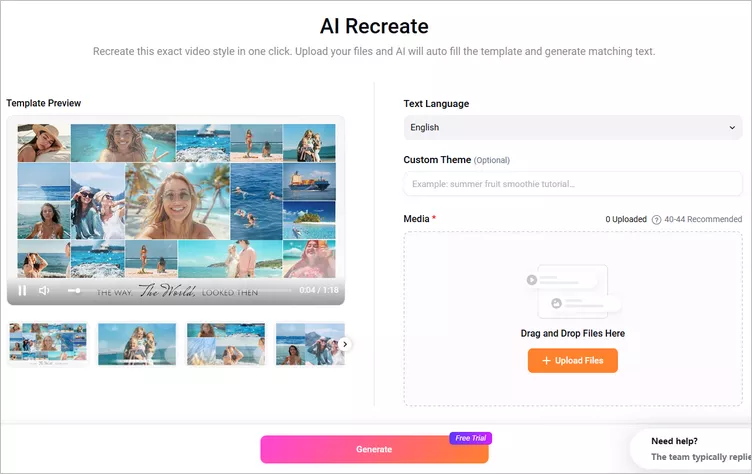
AI Recreate a Photo Montage: Setting
Once everything is set, click the Generate button to begin. The AI will automatically fill the template with your photos and create matching text for your photo montage video.
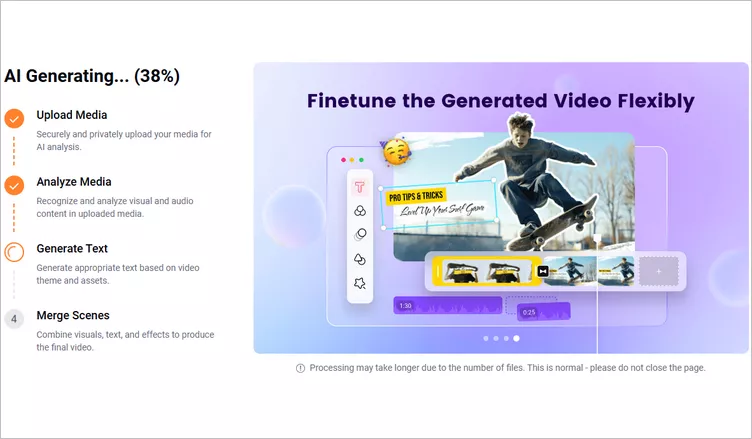
AI Recreate a Photo Montage: AI Process
Step 3 Spice up the AI-Generated Photo Montage
In just a few minutes, FlexClip will generate a new photo montage video in the same style as your selected template. You can preview the video and make additional edits to customize the text, music, and layout details as needed.
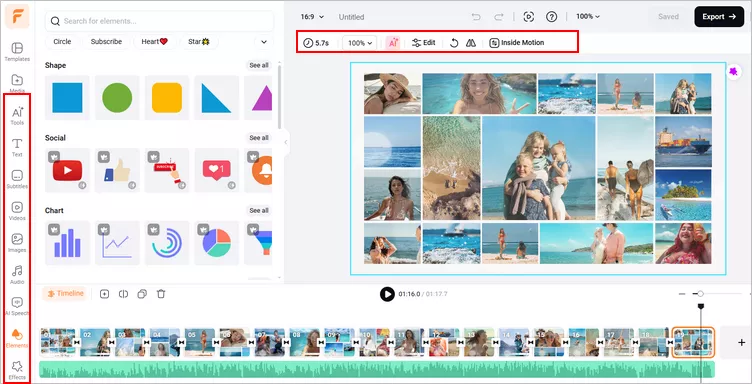
AI Recreate a Photo Montage: More Edits
Once you're happy with the final video, click the Export button in the top-right corner to download it or share it instantly using FlexClip's built-in sharing options. You can generate a shareable link or upload the video directly to social media platforms like YouTube and TikTok.
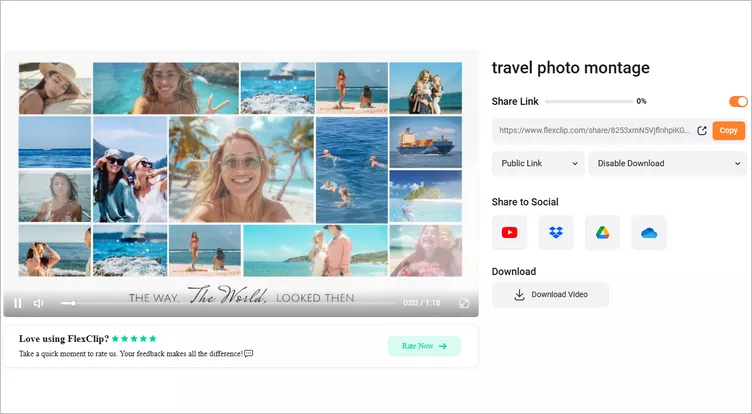
Download and Share Photo Montage
4 Other Alternatives to Making a Photo Montage Video
Apart from the versatile FlexClip photo montage maker, the following 4 online photo montage makers may also help you create great photo montage videos with their distinct features. Likewise, all of them offer you premade photo montage video templates, to begin with.
1. Canva
With its headquarter based in Syndey, Canva is the most prestigious graphic design platform worldwide. Sign up for its free member and select a free photo montage video template in its powerful video editor and customize all the elements like texts, animation, transitions, and multiple pieces of music or sound effects to create an original photo montage video in minutes. Some of its free photo montage video templates can be used and downloaded in 1080P MP4 without a watermark. So, it’s also worth a shot.
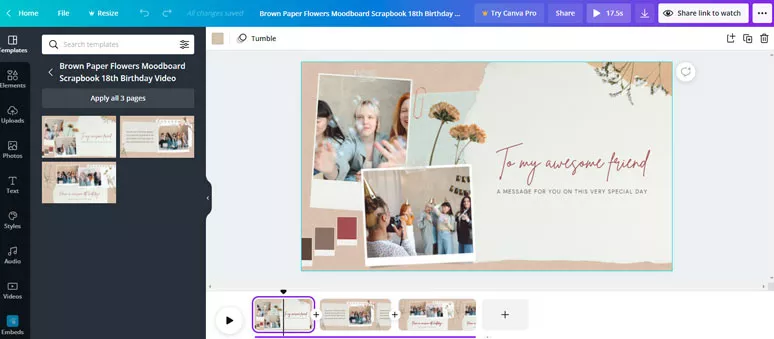
Use Canva's free photo montage template to make photo montage videos
2. Clipchamp
Dedicated to empowering everyone to tell their stories worth sharing, Clipchamp is another feature-packed online video editor that can create eye-catching photo montage videos in a snap. Like Canva, Clipchamp uses a user-friendly timeline for video editing.
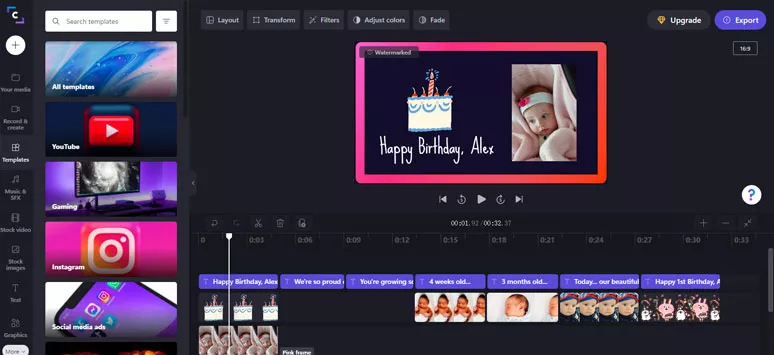
Make a photo montage video by Clipchamp
You can select a video montage template and easily customize the fonts, color, and motion of text or add music from the music library. The only drawback is the number and categories of photo montage templates are so limited because most of the templates are social or promo video templates. Other than that, it works flawlessly for making a photo montage video.
3. Animaker
Though mostly known as one of the best online animation makers, Animaker does offer you a chance to create photo and video montage videos using its ready-made birthday, travel, or road trip video montage video templates. The biggest feature of Animaker is that you can easily create many animated characters with vivid and fully customizable facial expressions and different gestures, outfits, and props to be added to the photo montage video. Meanwhile, you can easily tweak between a Full and Lite mode for editing, which makes it easier for users of different editing levels.
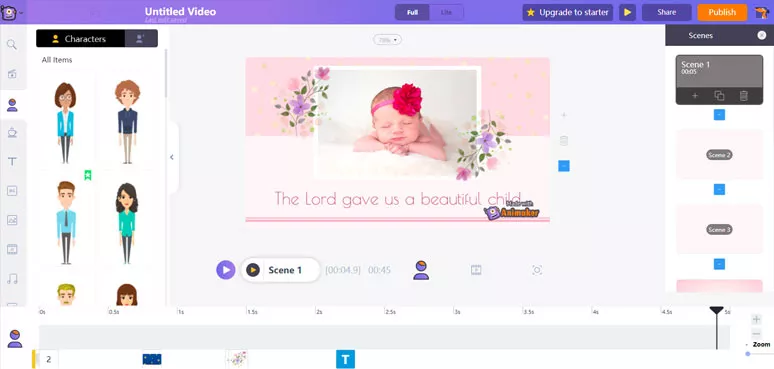
Create a birthday photo montage video by Animaker
Text animations, video, image, and audio stock are also available. If your target viewers are mostly children, Animaker can be your go-to choice. For free users, as you download the photo montage video, there will be a visible watermark attached to the right corner of the video.
4. Animoto
Animoto is another simple and handy online video editor for making photo montage videos. It offers you plenty of classy and vintage photo montage video templates with music, ranging from wedding, memorial, anniversary celebration, graduation, father’s day, graduation, family reunion, etc.
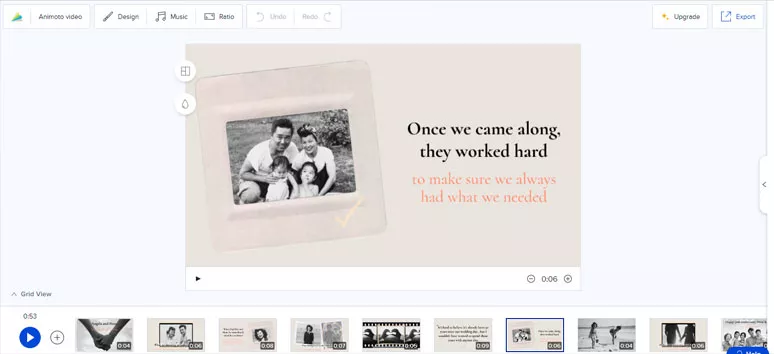
Make an anniversary photo montage video by Animoto
You can easily replace premade photos with yours and customize the text animations, music and download the photo montage video. However, the drawback is you can’t customize the video transitions and motion of texts while the lengthy video rendering time can be frustrating to some point. While for free users, you do expect to have a watermark on your photo montage video.
Now, It’s Your Move
To sum up, a timeless photo montage video is more than simply compiling a stack of still images. It’s the combination of text animations, well-designed motions, video transitions, proper music and sound effects, and decorative elements that bring static images to life and help viewers relive the joint memories through these precious photos. While FlexClip offers you the exact tools and resources to bring your photo memories to life with ease. So, start creating your first photo montage video with FlexClip now.




FlexClip AI Video Maker
Reach professional-quality videos faster with easy editing tools, templates, and smart AI.
Start Now for Free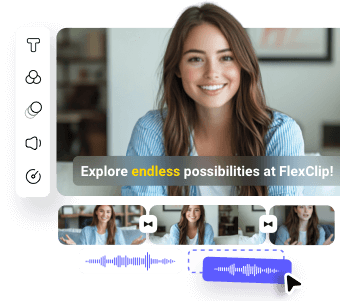
Hot & Trending
-

Best Ways to Find Music in YouTube Videos
-
Instagram Story Video Quality Bad After Upload? Fix It!
-
How to Repost Video on TikTok & How to Remove TikTok Repost
-

Improve Video Quality Online: 3 AI Video Quality Enhancers You Can't Miss
-
4K Convert to HD 1080p without Watermark: Best 4k Video Converters
-
Top 13 Birthday Video Makers with Music and Effects Free
-
How to Search Filters on TikTok & Use a Filter You See - TikTok Filter Guide
-
Large Collection of Creative and Funny Birthday Video Ideas for Ones You Care